
Using HST Basic ** See bottom of post for instructions** Add an Assignment – Drop down list for Student, Subject, Activity and Resource – and type in any specific Instructions. 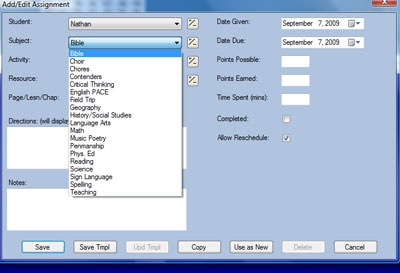
Today I had to add a resource from the Library – Red Knot – to the Geography Subject. Note that you can add resources to pop up for individual kiddos – or all. 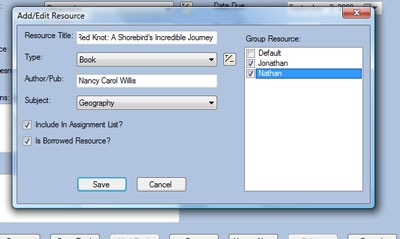 Here is an example of my resource list.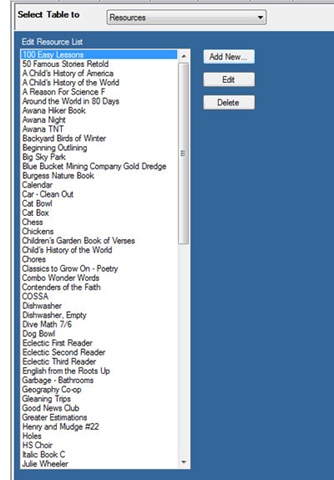
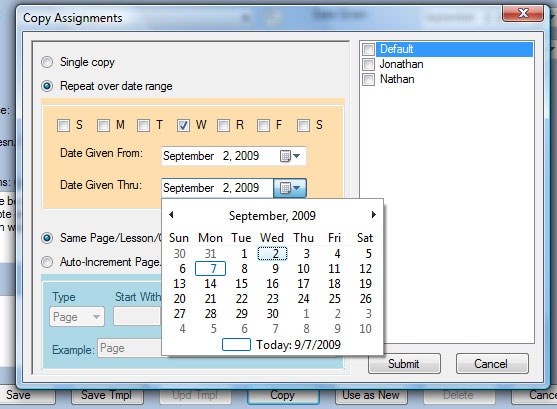 Then I click on Copy. In this instance – the Geography will be read each Weds from September 2nd to October 7th. I can choose to include both boys.
Simple clicks, once the items are entered, makes the planning a breeze. This morning I put in his Writing, Math, English, Sign Language and Geography for the next two weeks. I could have put in the whole month, but it takes a bit if we get off track on lesson numbers. I did put in the whole month for Sign/Geography/Science.
Here is what it looks like: 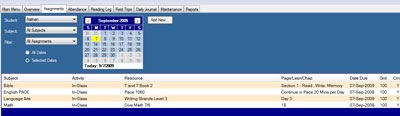
There are a few reports that you can print in the basic mode – for the day/week/month you can print their assignments and they can mark them off. With the Plus version, you can import lesson plans from Saxon/Sonlight/Ambleside/etc and not need to input all of the individual things. I like adding it day by day. We are quirky.
I am out of black ink at the moment – so that is why I am using my post it not system for a few weeks. Also – changing up how these tasks are delivered to the boys seems to keep it fresh. I have found that my pattern is to be very detail oriented in Aug/Sep/Oct and then, as we get established in the pattern, I fall to just recording what has been done once a month. This will produce nice report cards if your family enjoys those. The Plus version will create a GREAT transcript. We will definately upgrade in the High School Years. I do not see a huge need for upgrade unless you Sonlight or Ambleside, or you have a teen that needs Courses/Subjects/Resources/Books read type of a thing.
Also – Don’t forget to add chores to the list if you are printing these on a daily/weekly basis: 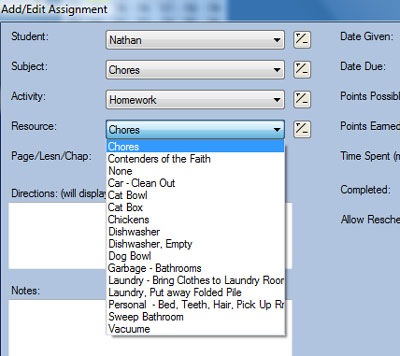
***First – Download the FREE Basic Homeschool Tracker ***onto your computer. It is a total download – run on your computer. You can run it off of a zip drive if you like if the computers in your home are not networked. I have been using HST Basic for 2 years now, and little by little my entire library of resources and list of subjects have been entered. My advice – is to go little by little, once an item has been entered – Resource, Subject etc. it will always be there – ready in a drop down list. This summer I spent an afternoon with my laptop in front of our bookshelf and entered in the books that we will read and use this year. It took an hour or so – and now I do not need to enter each item in.
So – Assuming you have entered your basic school information in – played SchoolVille for a while while your Strawberries turned to dust in Facebook –
Its Monday morning – (preferably Friday Afternoon while the week is still fresh in your mind) –
Somedays I write out the list by hand first – sometimes it is fresh in my head. Last Thursday – after school – I wrote out post it notes for our post it schedule for what the boys will continue on this week. Saxon 7/6 Lesson 18. If I had not done that, I would pull their math/english/writing books to see what lesson they are on. Almost takes the same amount of time either way.


 +Angie Wright









 Pebblekeeper